• Home
  • Services
  • Experience
  • Portfolio
  • Contact
Brodivers Brodivers Brodivers
Doha, Qatar contact@brodivers.com (+974) 3993 0301
  • Home
  • Services
  • Experience
  • Portfolio
  • Contact
Brodivers Brodivers Brodivers
  • Home
  • Services
  • Experience
  • Portfolio
  • Contact
  • Home
  • Blog
  • Blog
  • DST vs PES vs EMB: Which Embroidery File Format Do You Need?

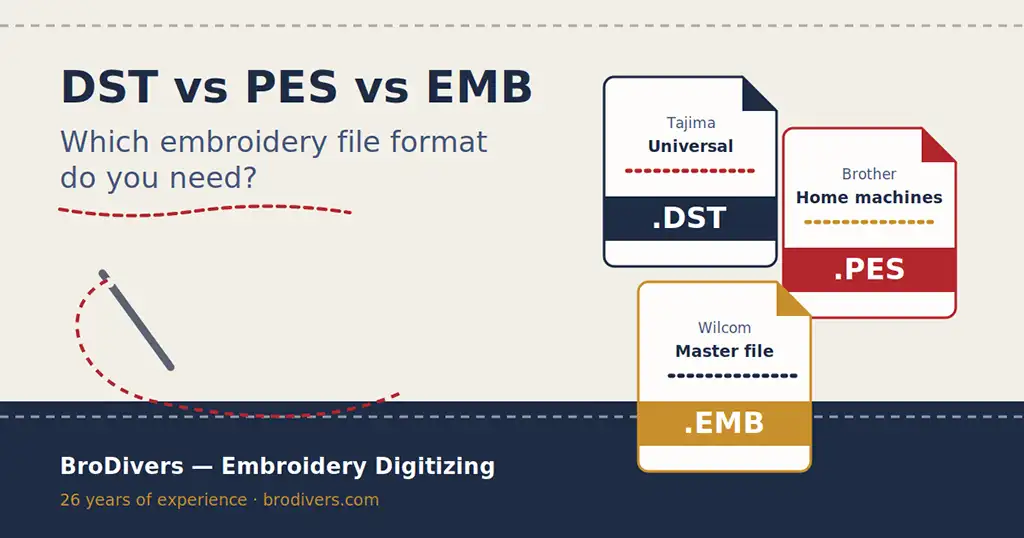
DST vs PES vs EMB: Which Embroidery File Format Do You Need?

FAQ

DST vs PES vs EMB: Which Embroidery File Format Do You Need? (2026 Guide)

If you have ever ordered an embroidery file and received a format your machine could not read, you are not alone. After 26 years of digitizing embroidery designs and running my own workshop, this is still the question I hear most often: “Which file format do I actually need?”

The short answer: it depends entirely on your embroidery machine or software. The long answer is worth five minutes of your time, because choosing the wrong format can cost you thread breaks, distorted designs and wasted production hours.

What is an embroidery file, exactly?

An embroidery file is not an image. It is a set of machine instructions: where each stitch goes, in what order, with which thread color, and when to trim or change threads. Think of it as a GPS route for the needle.

This is why you cannot simply “convert” a JPG logo into an embroidery file with free software and expect good results. The design has to be digitized — rebuilt stitch by stitch by someone who understands how thread behaves on fabric. The file format is just the language used to deliver those instructions to your specific machine.

DST: the universal industry standard

The DST format was created for Tajima machines, but over the decades it has become the closest thing embroidery has to a universal language. Almost every commercial embroidery machine made in the last 25 years can read a DST file.

When DST is the right choice

If you run a commercial workshop, if you outsource production, or if you simply do not know what machine will stitch the design, DST is the safe default. I deliver DST with every order for exactly this reason.

The limitation of DST

DST stores stitch data only. It does not save the actual thread colors — just color change stops. Your machine operator will need a color sheet (which I always provide) to load the right threads in the right order.

PES: the format for Brother and home machines

PES is the native format of Brother machines, and it is also read by Bernina Deco, Babylock and several other home and semi-professional brands. Unlike DST, a PES file stores color information, which makes it more beginner-friendly.

When PES is the right choice

If you embroider on a Brother machine — from a small home PE-800 up to the multi-needle PR series — PES is your format. It is by far the most requested format among small businesses, Etsy sellers and embroidery hobbyists.

EMB: the master file from Wilcom

EMB is different from the other two, and this difference matters more than most people realize. DST and PES are stitch files: finished, baked instructions. EMB is the native working file of Wilcom, the professional digitizing software used across the industry.

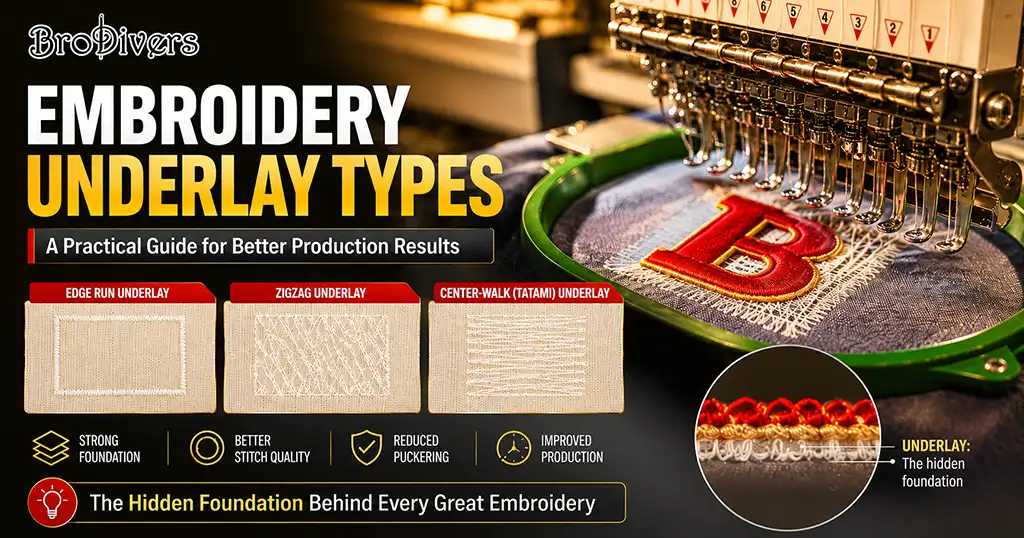
An EMB file contains the full design logic: objects, outlines, stitch types, densities and underlay. It can be resized and edited without destroying quality — something that is risky or impossible with a stitch file.

Why you should always ask for the EMB file

Here is a piece of advice from someone who has digitized thousands of designs: when you pay for digitizing, ask whether the EMB (or the digitizer’s native file) is included. If you ever need your logo at a different size, on a different fabric, or with modified text, the EMB file makes the edit fast and clean. Without it, the design often has to be partially re-digitized.

The other formats you might encounter

Every machine brand has its own native language. The most common ones I deliver:

  • EXP — Melco and Bernina machines
  • JEF — Janome machines
  • HUS / VP3 — Husqvarna Viking machines
  • XXX — Compucon and Singer machines
  • SEW — Elna and older Janome models
  • ZSK / Z00 — ZSK industrial machines
  • PXF, OFM, GIS — native files of Pulse, DesignShop and BasePac software

You do not need to memorize this list. You only need to know one thing: your machine’s brand and model. A professional digitizer handles the rest.

How to find out which format your machine needs

Three quick ways:

  1. Check the manual or the machine screen — the supported formats are usually listed in the “open file” menu.
  2. Look at your existing design files — the extension (.dst, .pes, .jef…) tells you what your machine already reads.
  3. Just ask your digitizer — tell me “I have a Barudan BEXT” or “a Brother PR-1055X” and you will receive the correct format, tested and ready to run.

Does the format affect embroidery quality?

This is the most important point of this whole article: the format does not make the quality — the digitizing does.

A poorly digitized design will pucker, break threads and distort letters whether it is delivered in DST, PES or any other format. A properly digitized design — with the right underlay, density and pull compensation for your fabric — will run beautifully in every format.

So when you compare digitizing services, do not compare the list of formats they offer (everyone offers the same list). Compare whether they test-run designs before delivery, whether they adjust the file for your fabric, and whether they include revisions.

What I deliver with every order

To make it simple, every design I digitize comes with:

  • The stitch file in the exact format your machine needs (DST, PES, EXP, JEF or any other)
  • The DST as a universal backup
  • A color sheet with the thread sequence
  • Free minor revisions

And if you work with multiple machines or clients, I can deliver the same design in several formats at no extra cost — it takes me minutes, and it saves you headaches.

Need the right file for your machine?

Send me your logo or artwork with your machine model, and you will receive a quote within 24 hours — and a file that runs perfectly the first time. Contact me by email or WhatsApp, in English, French or Arabic.

NEED AN EMBROIDERY FILE?LET'S TALK !

 Doha, Qatar 

(+974) 3993 0301

 contact@brodivers.com

THAMEUR RADHOUAN

Copyright © 2026 Brodivers. Design by Raafet

Compare list 0

WhatsApp me